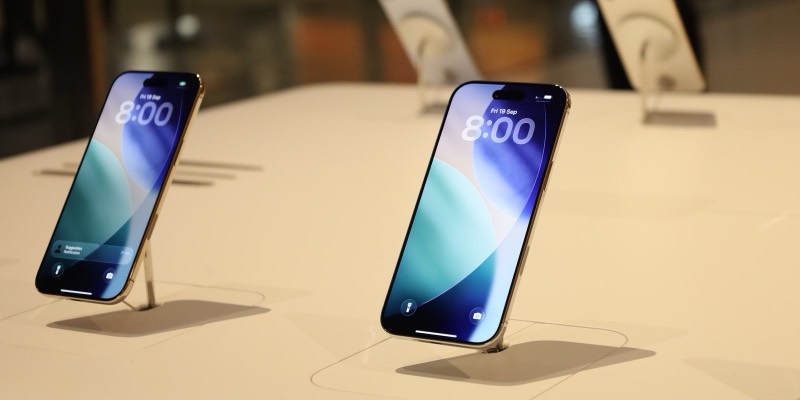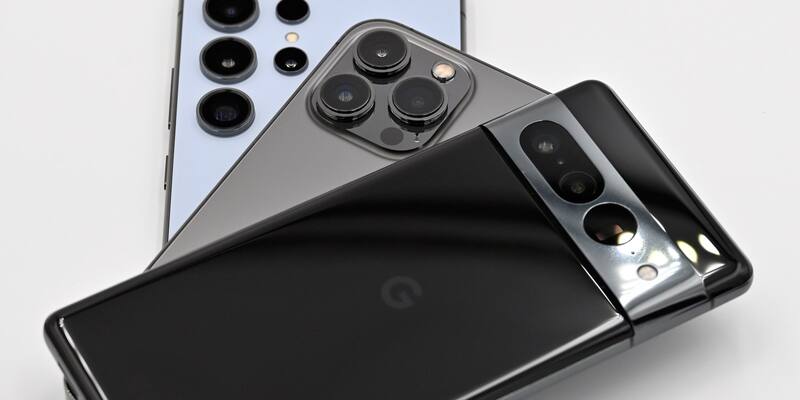
An iPhone 13 Pro between a Samsung Galaxy S24 Ultra and a Google Pixel, photographed in February 2024 (illustrative). Image: SimonWaldherr / Wikimedia Commons, CC BY-SA 4.0, cropped
Vibe-coded apps are allowed on both the App Store and Google Play: neither Apple’s App Review Guidelines nor Google Play’s developer policies say anything about how an app’s code was written, so an app built with Claude Code, Codex, Cursor or Google AI Studio is judged exactly like one typed by hand. What gets vibe-coded apps rejected is what the stores have always rejected: apps that are only a website in a wrapper, copies of apps that already exist, apps that crash or need a login nobody gave the reviewer, and apps that download new features after review. Here is what each store’s rules say, what it costs and how to publish.
Last checked: October 30, 2026, against Apple’s App Review Guidelines (last updated October 16, 2026) and Google’s Play Console Help pages.
Are vibe-coded apps allowed on the App Store?
They are, and Apple actively encourages people to build apps with AI. In February 2026 it released Xcode 26.3 with agentic coding, which lets Anthropic’s Claude Agent and OpenAI’s Codex work inside Xcode, Apple’s own app-building software, where they can search documentation, change project settings and keep building and fixing until the app runs. Susan Prescott, Apple’s vice president of Worldwide Developer Relations, said agentic coding “supercharges productivity and creativity”.
The App Review Guidelines look at what an app does, how it treats people’s data and whether it is worth having on the store. They never ask who or what wrote the code. Google Play works the same way, and Google goes further: Google AI Studio writes native Android apps from a prompt, and Google Play now lets you install them on your own phone with no developer account (more on that below).
Hit vibe-coded apps are already in both stores. The trivia game GeoSports, built with Claude Code in 12 hours, launched as an App Store and Google Play app in September and was number 60 in the US App Store’s free trivia chart on October 10.
Why vibe-coding apps were blocked from the App Store (guideline 2.5.2)
The “vibe-coded apps banned” headlines are about a different kind of app: vibe-coding tools on the iPhone that build new apps and run them inside themselves. In March 2026 Apple blocked updates to Replit and Vibecode and removed an app called Anything, which let people create and preview apps on their phones (it returned in April). Apple told MacRumors there are no specific rules against vibe coding, but that apps must follow its long-standing guidelines, and pointed to guideline 2.5.2, which says apps may not “download, install, or execute code which introduces or changes features or functionality of the app, including other apps”.
So the rule bites apps that generate and run new software on the phone, not apps that were made with AI on a computer and submitted in the normal way. Apple does allow HTML5 and JavaScript mini apps and mini games, chatbots and plug-ins inside an app under guideline 4.7, as long as the host app filters objectionable content, follows the privacy rules and keeps an index of everything it offers. A rule added on October 16, 2026, guideline 2.5.19, also bans “hidden, dormant, or undocumented features”, so an app that changes what it does after approval risks removal and the end of its developer’s account. We covered that update in Apple’s new App Store rules for AI apps.
Google Play has the same idea in its Device and Network Abuse policy: an app may not download executable code from anywhere but Google Play, although code that runs in a virtual machine or interpreter, such as JavaScript in a web view, is allowed.
Why vibe-coded apps get rejected: the rules that matter
These are the rules a quickly built app is most likely to trip over.
| Problem | App Store | Google Play | How to avoid it |
|---|---|---|---|
| The app is just your website in a wrapper | 4.2 Minimum Functionality: apps must go “beyond a repackaged website” | Functionality policy bans apps with “very little user functionality”; Webviews and Affiliate Spam bans wrapping other people’s sites | Add features that only an app can do: offline use, notifications, camera, widgets |
| It copies a type of app the store is full of | 4.3(b) Spam names dating, flashlight, sound effects, wallpaper, simple timers and fortune telling | Spam policy: Repetitive Content | Make something with a clear twist, and say what it is in the listing |
| It crashes, has placeholder text or a broken login | 2.1 App Completeness: include a demo account “and turn on your back-end service!” | Functionality policy: no apps that crash, freeze or don’t respond | Test on a real device, and give reviewers a working demo login |
| An app-builder service submits it for you | 4.2.6: apps from a “commercialized template or app generation service” are rejected unless the content owner submits them | No equivalent rule | Submit from your own developer account |
| It downloads new features after review | 2.5.2 and 2.5.19 | Device and Network Abuse | Ship every feature in the reviewed build |
| It sends personal data to an AI model | 5.1.2(i): disclose sharing “with third-party AI” and get explicit permission | User Data policy; AI-Generated Content policy for generative apps | Ask before sending anything personal to Claude, ChatGPT or Gemini, and say so in your privacy policy |
| Users can generate images, text or voices with it | 1.2: AI content creation apps need filtering, reporting and blocking | AI-Generated Content policy: in-app reporting or flagging, no offensive output | Add a report button and content filters |
Rule numbers from Apple’s App Review Guidelines (October 16, 2026) and Google Play’s Policy Center.
How much does it cost to publish a vibe-coded app?
Putting an app on your own phone can be free. Publishing to the public costs $99 a year for Apple and $25 once for Google.
| Route | Cost | What you get |
|---|---|---|
| Free Apple Account in Xcode (Personal Team) | Free | Run your app on up to 3 of your own devices, 3 apps per device; it stops working after 7 days until you rebuild and reinstall it |
| Apple Developer Program | $99 a year (or local equivalent) | TestFlight beta testing and the App Store; fee waivers for nonprofits, accredited schools and colleges, and government bodies |
| Google Play personal library | Free | Install apps you built in Google AI Studio on your own Android phone; US only, in beta |
| Google Play Console | $25 once | Publish to Google Play worldwide; personal accounts must pass a 14-day closed test first |
| Android limited distribution account | Free | For students, teachers and hobbyists: share an app with up to 20 devices outside Google Play, with no government ID or registration fee |
How to publish a vibe-coded app on the App Store
- Build a native app. The safest route is Xcode on a Mac with Claude Agent, Codex or another agent writing Swift for you. A web app squeezed into a wrapper is the commonest 4.2 rejection.
- Test it on your own iPhone. Sign in to Xcode with your free Apple Account and run the app on your device as a Personal Team. Remember the 7-day limit.
- Join the Apple Developer Program for $99 a year at developer.apple.com/programs.
- Beta test with TestFlight, so friends can find the crashes before Apple’s reviewers do.
- Fill in App Store Connect: screenshots, a privacy policy link (required for every app under 5.1.1), privacy answers, and a demo account if the app has a login.
- Submit for review and read any rejection carefully: it names the guideline, and you can reply or appeal from App Store Connect.
How to publish a vibe-coded app on Google Play
For an app only you will use, Google’s personal library is the easy route, and we explained how it works when Google launched personal apps. In Google AI Studio, choose New app, then Build an Android app, describe the app and press Publish. A few minutes later you scan a QR code, or find the app in the Play Store under Profile › Manage apps & device › Your personal library. It needs only a Google Account, costs nothing, and the app never shows up in Play search. It is rolling out in the US from October 2026, and only AI Studio is supported so far. Google says sharing with family and friends is “coming soon”.
To publish for everyone:
- Register a Play Console account (you must be 18 or over) and pay the $25 one-time fee. Google may ask for a government ID and a card in your legal name, and personal accounts must verify an Android device with the Play Console app.
- Run an internal test with a few trusted people.
- Run a closed test. Personal accounts created after November 13, 2023 need at least 12 testers opted in for 14 days in a row before they can publish. Ask friends, family and online communities, and tell them not to leave the test early.
- Apply for production access from the Play Console dashboard, answering Google’s questions about your test and the feedback you fixed.
- Publish, keeping to the Spam, Functionality and AI-Generated Content policies in the table above.
Vibe-coded app checklist before you submit
- No secret keys in the app. If your app calls Claude, ChatGPT or Gemini, keep the API key on your own server, not inside the app, where anyone can extract it.
- Every feature in the build. Nothing switched on later from a server (2.5.2 and 2.5.19).
- A working demo login and your back end switched on during review.
- A privacy policy that names any AI service you send data to, plus an in-app permission prompt before you send it.
- Content filters and a report button if users can generate anything.
- Your own words in the listing. Describe what the app does honestly; Apple’s 2.3 rules reject misleading metadata.
Can I publish a vibe-coded app from the UK, Canada, Australia, Germany or India?
The App Store and Google Play routes work the same in the US, UK, Canada, Australia, Germany, India and most other countries. Apple charges $99 or the local equivalent, and Google charges $25. Two things vary by place:
- Google Play personal library is US only for now; Google says other countries are expected “in the near future”.
- Android developer verification started on September 30, 2026 for apps installed in Brazil, Indonesia, Singapore and Thailand, and Google plans to extend it globally in 2027. Apps on Google Play are covered by your Play Console account.
In the European Union, iPhone apps can also reach people through alternative app marketplaces, but they still go through Apple’s notarisation checks, so a vibe-coded app has to be sound wherever it ships.
Frequently asked questions
Are vibe-coded apps allowed on the App Store?
Yes. Apple’s App Review Guidelines don’t mention how code was written, and Apple itself builds Claude Agent and Codex into Xcode 26.3. A vibe-coded app is reviewed like any other app.
Are vibe-coded apps banned from the App Store?
No. In 2026 Apple blocked some vibe-coding tools, such as Anything, Replit and Vibecode, because they built and ran new apps inside themselves, which guideline 2.5.2 forbids. Apple said there are no specific rules against vibe coding.
Does Apple allow AI-generated apps?
Yes, as long as the app is complete, useful, original and follows the privacy rules. If your app sends personal data to an AI service, guideline 5.1.2(i) says you must disclose it and get the user’s explicit permission first.
Do I have to say my app was made with AI?
Neither Apple nor Google asks you to disclose that AI wrote your code. You do have to disclose when your app shares personal data with a third-party AI, and AI content creation apps must follow each store’s content rules.
Why was my vibe-coded app rejected?
The most common reasons are guideline 4.2 (the app is a repackaged website), 4.3 (it copies apps the store already has), 2.1 (crashes, placeholder text or no demo login) and 2.5.2 (downloading code after review). The rejection message names the rule.
Can I put a vibe-coded app on Google Play?
Yes. Register a Play Console account for $25, then, on a personal account, run a closed test with at least 12 testers for 14 days before applying for production access. US users can also install Google AI Studio apps privately through Google Play’s personal library for free.
Can I put my vibe-coded app on my iPhone for free?
Yes. Sign in to Xcode with a free Apple Account and run the app on your iPhone as a Personal Team. You can install up to 3 apps on up to 3 devices, and you must rebuild and reinstall every 7 days.
How much does it cost to publish a vibe-coded app?
The Apple Developer Program costs $99 a year (or the local equivalent) and Google Play charges a one-time $25 fee. Your AI coding tool’s subscription or API credits are extra.
Can I sell a vibe-coded app?
Yes. Paid apps, subscriptions and in-app purchases follow the same rules as any other app, including Apple’s guideline 3.1 and Google Play’s Payments policy. Check your AI tool’s terms of service too.
Latest Vibe Coded news