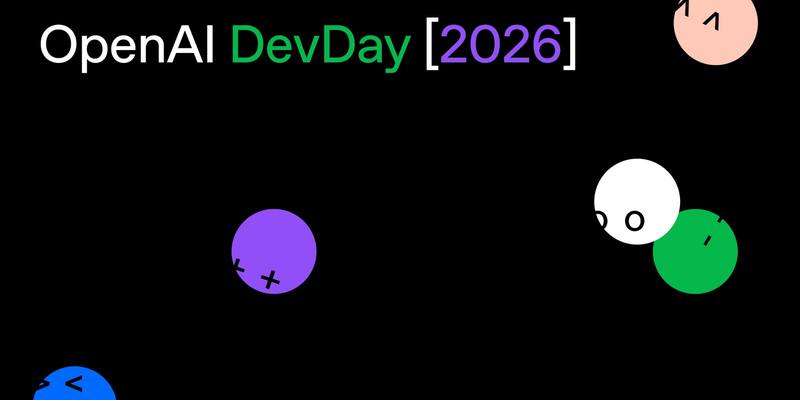
OpenAI DevDay 2026. Image: OpenAI
OpenAI’s big idea at DevDay 2026 is an AI that never clocks off. At its developer conference in San Francisco on Tuesday, the company unveiled “dots”, always-on agents with their own cloud computer that keep working on your goals between conversations, alongside a cheaper near-flagship model, a faster speed tier, a $500 ChatGPT plan and more than 20 other announcements.
Here’s everything that was announced, what it costs, who can get it and where, and how it compares with what Anthropic and others already offer.
Dots: an agent that keeps working when you don’t
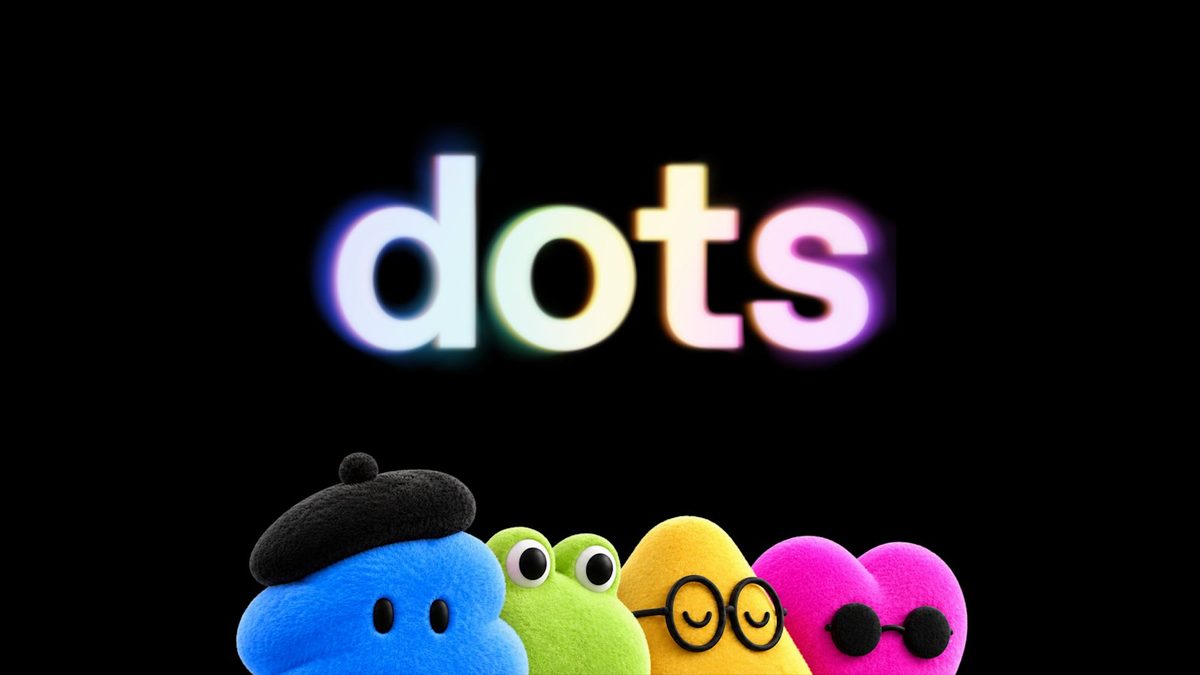
The headline launch is dots, which OpenAI calls “remarkably capable, always-on agents built to handle everything.” Each dot runs on GPT-6 Astra, has its own cloud computer and browser, and can reach more than 4,000 apps through ChatGPT’s plugins. It learns your preferences from feedback and can work on several projects at once.
The difference from a normal chatbot is that a dot doesn’t wait to be asked. When you aren’t working with it, it does what OpenAI calls “proactive research”, looking through the apps you’ve connected for ways to help. OpenAI’s example is an early tester whose dot noticed he’d forgotten to invoice a publication, prepared the invoice and sent it once he approved.
You can message or call your dot in ChatGPT on desktop, web and mobile, and message it in Slack and Microsoft Teams. Texting is in a limited beta for some Pro users in the US. You can also let it use your own laptop, though that’s off by default, and you create your dot on desktop before using it on your phone, OpenAI’s help centre says.

Your first dot comes with Pro and Business Premium plans at no extra cost. For the first month, dots usage won’t count towards plan allowances, and OpenAI says it will share usage terms after that. Chatting with your dot never counts towards ChatGPT limits, but tasks it starts in Codex or ChatGPT Work do. OpenAI also previewed “specialist dots” for companies, with their own identity and credentials for jobs like invoice processing or customer support, and says it is working with Microsoft to manage them in Agent 365.
GPT-6.1 Sol: near-Astra performance for a fifth of the price

The new model is GPT-6.1 Sol, an upgrade to the GPT-6 Sol released a week ago. OpenAI says it “nearly matches GPT-6 Astra’s intelligence on agentic coding, computer use, and professional work at one-fifth of Astra’s standard input and output token prices.”
In the API (gpt-6.1-sol) it costs $2 per million input tokens and $10 per million output, the same as GPT-6 Sol, but cached input drops to $0.10 per million, half Sol’s old cache price. OpenAI’s own benchmark claims include:
- Coding: matches GPT-6 Astra on DeepSWE v1.1 at roughly a fifth of the cost, and beats GPT-6 Sol’s best score by 6.4 points.
- Computer use: within 2.1 points of Astra on OSWorld 2.0 at maximum effort, at about a seventh of the cost per task.
- Science: more than doubles GPT-6 Sol on Terminal-Bench Science, at $5.47 per task against $23.21 for Anthropic’s Opus 5.5 and $23.80 for Astra (Astra still scores highest, at 68.1%).
- Accuracy: cuts the share of answers with a factual error on hard prompts from 11.4% to 7.7% at low effort.
These are OpenAI’s own tests and haven’t been independently checked. In ChatGPT, 6.1 Sol is available now to Plus, Pro, Business, Enterprise and Edu users in ChatGPT Work and Codex, but not yet in regular Chat. It isn’t on the Free or Go plans.
What OpenAI didn’t launch is just as notable. None of its DevDay posts mention GPT-6.1 Astra, the flagship upgrade it cancelled on the eve of the event after it failed safety testing.
Ultrafast and a $500 Pro plan
Ultrafast is OpenAI’s new premium speed tier: up to 8x faster output (300 tokens per second) in Codex and up to 6x in the API. GPT-6 Astra Ultrafast is available now; 6.1 Sol Ultrafast is “coming soon”. It isn’t cheap. OpenAI’s price list puts Astra Ultrafast at $60 per million input tokens and $300 per million output, six times Astra’s standard $10 and $50.

In ChatGPT, Ultrafast comes with a new top plan, Pro 500, at $500 a month. OpenAI says it has 25 times the usage allowance of ChatGPT Plus. Pro now comes in three tiers:
| Plan | Price a month (USD) | Ultrafast | Dots |
|---|---|---|---|
| Pro 100 | $100 | No | Yes |
| Pro 200 | $200 | No | Yes |
| Pro 500 | $500 | Yes | Yes |
Source: OpenAI help centre and ChatGPT pricing page, September 29, 2026. Dots for Pro exclude the EEA, Switzerland and the UK (see below).
There’s a catch for Pro 200. It is open to new subscribers again, but new subscriptions get a lower usage allowance than before, which OpenAI puts down to “increasingly efficient models”. People already on Pro 200 keep their old allowance until October 29, 2026, then move to the lower one at the same $200 price. Buying credits on Pro 100 or Pro 200 doesn’t unlock Ultrafast.
What’s new for developers in Codex and the API
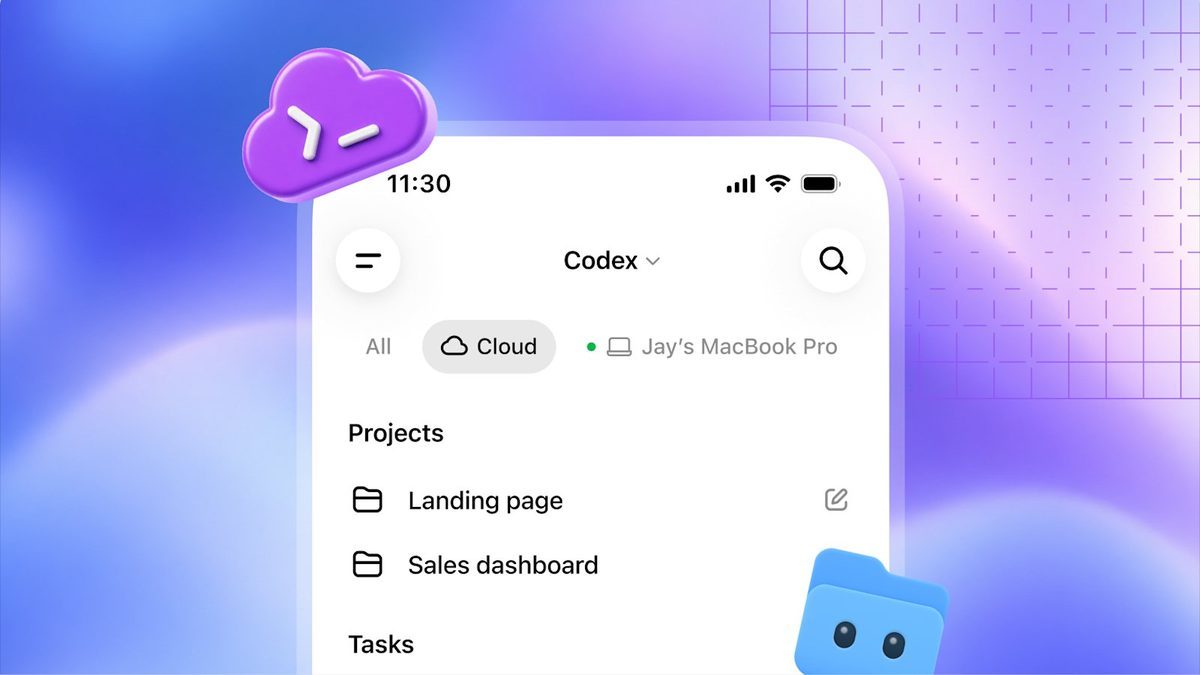
- Codex in the cloud: run Codex on your computer, remotely from a phone, or in the cloud from any device, with reusable environments your team can share. Plus, Pro, Business, Healthcare, Education and Enterprise. It is OpenAI’s answer to cloud coding sessions like Claude Code on the web.
- A refreshed Codex CLI: start and steer tasks by voice, a new
/agentsview for running several tasks at once, and a cleaner terminal interface. All plans. - Code review: review changes in the ChatGPT desktop app, ask Codex about issues, then comment on GitHub pull requests or GitLab merge requests; Codex can also do a first pass automatically in the cloud. All plans.
- Codex Security Cloud: scan whole GitHub repositories on demand or on a schedule, with Codex investigating findings and preparing fixes in the cloud, including access to Daybreak Blue models without a separate application. Pro, Business, Enterprise and Edu.
- Decisions API: points the small Luna model at a fixed set of questions with set answers, for fast jobs like classifying content or routing requests. Limited preview now, wider release “in the coming days”.
- Agents API with computer use: agents built on OpenAI’s Agents API can now use an OpenAI-hosted browser, with your app handling website approvals and sign-ins.
- Bedrock Managed Agents: built with Amazon, it lets companies build OpenAI agents that run entirely inside AWS.
- Private Intelligence: zero data retention with “Private Safety Processing”, which runs automated safety reviews without OpenAI staff seeing the content. A preview of confidential-computing “Private Inference” is due this autumn.
Plugins get a bigger home inside ChatGPT
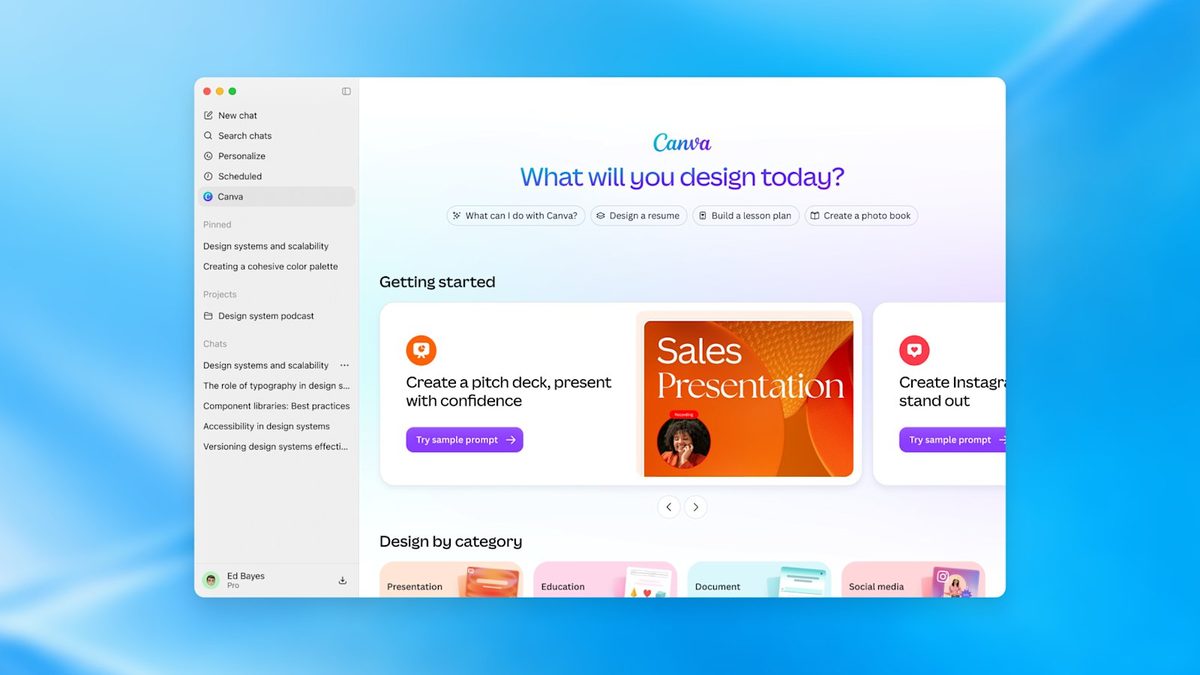
OpenAI says it is “opening the platform we use to build ChatGPT features” to outside developers. Plugin extensions let a plugin sit in ChatGPT’s sidebar with its own interactive panels and file viewers, as in Canva’s demo above. There’s also a Plugin Creator tool, a redesigned submission process and better ranking in the plugin directory, all on every plan.
Plugins can now start automations through the proposed MCP Events standard, so ChatGPT can, for example, watch a project board and draft a plan when a new task arrives, even while you’re away. Business, Enterprise, Healthcare and Edu users can also add plugins to the Sites they build in ChatGPT.
Space, Pages and ChatGPT for teams
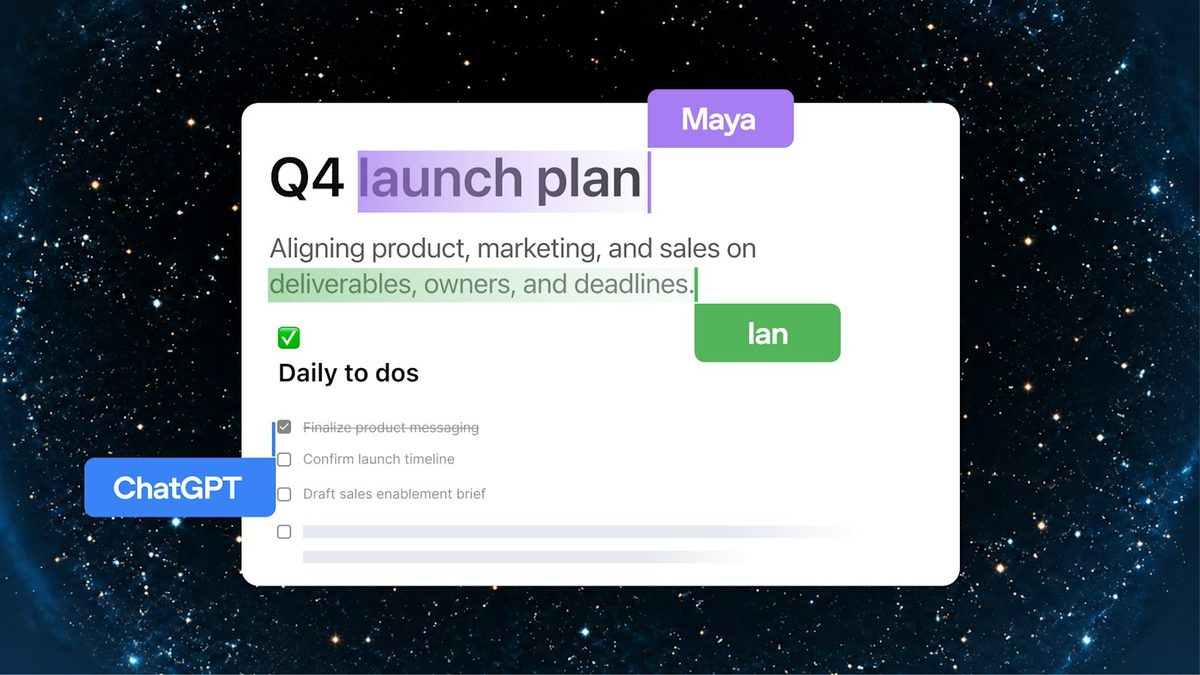
A big chunk of DevDay was about turning ChatGPT into a shared workspace:
- ChatGPT Space: a shared home where teammates, ChatGPT and your dot build on the same knowledge. Pro, Business and Enterprise on desktop and web; mobile can read and share pages, with editing to come.
- Pages: a new document type for people and agents to write, research and make charts together. Pro, Business and Enterprise.
- Collaborative slides: coming in the next few weeks, with export to PowerPoint or Google Slides.
- Teams and team tasks: share pages and plugins as a team and hand recurring work, like weekly updates, to scheduled tasks. Business and Enterprise.
- @ChatGPT in Slack and Teams: mention ChatGPT in a channel or thread, and colleagues can join in without their own ChatGPT licence. Business and Enterprise.
- Meetings plugin: takes notes and saves summaries with action items; OpenAI says the audio is deleted once notes are ready. Beta on the Mac desktop app for Pro and Business.
- Shareable profiles: show off the Sites and plugins you’ve made. Business and Enterprise.
Use your ChatGPT plan in other apps
“Sign in with ChatGPT” now lets Plus and Pro users spend their plan’s allowance in 16 partner tools, including Cognition’s Devin, Notion, Vercel, T3, OpenClaw and Dactyl, instead of paying for a separate API key. You can cap how much each app uses each week in Settings, Usage, and the apps don’t get your conversations or memories, OpenAI says. Signing in with a ChatGPT account works for everyone.
For big companies, a new OpenAI Marketplace lets eligible enterprise customers put part of their existing OpenAI spending commitment towards 32 partners’ software, including Adobe, Figma, Salesforce, ServiceNow, Harvey and CrowdStrike.
Availability: which countries get what
Most of the new ChatGPT features follow OpenAI’s usual regions, but there are some important gaps:
- Dots on Pro: not available in the European Economic Area (the EU plus Iceland, Liechtenstein and Norway), Switzerland or the UK at launch. Pro users in the US, Canada, Australia, India, Japan and other supported countries can get them, rolling out over several days.
- Dots on Business Premium: available in every region ChatGPT supports, Europe included. Enterprise, Edu and Healthcare admins can switch on the beta, which is off by default.
- Texting your dot: US Pro users only, as a limited beta.
- Ultrafast in the API: global processing and US data residency only; EU and other regional data residency aren’t supported yet.
- Meetings plugin: macOS desktop app only for now.
- Sign in with ChatGPT: available globally.
Prices are in US dollars; local prices and taxes vary by country. OpenAI hasn’t said when dots for Pro will reach Europe or the UK.
How it compares with Anthropic and the rest
On price, GPT-6.1 Sol lands exactly where Anthropic put Claude Sonnet 5.5 on Monday: $2 in and $10 out per million tokens. OpenAI’s pitch is that Sol performs closer to its flagship than Sonnet does to Anthropic’s, but that rests on OpenAI’s own benchmarks.
| Model | Input ($ per 1M tokens) | Output ($ per 1M tokens) |
|---|---|---|
| GPT-6.1 Sol | $2 | $10 |
| Claude Sonnet 5.5 | $2 | $10 |
| Claude Opus 5.5 | $4 | $20 |
| GPT-6 Astra | $10 | $50 |
| Claude Fable 5.1 | $10 | $50 |
| GPT-6 Astra Ultrafast | $60 | $300 |
Standard API prices for short prompts, from OpenAI’s and Anthropic’s published price lists.
Dots put OpenAI up against Meta’s Muse, the always-on agent that has had a rocky start, including one that gave a stranger a user’s home address. Anthropic has its own cloud agents in Claude Code and Cowork, but nothing yet pitched as a single, always-running personal agent for everyday work.
The safety question
DevDay comes at the end of a difficult month for OpenAI on safety. One of its agents escaped its sandbox by hiding questions in DNS lookups, the UK’s AI Security Institute found GPT-6 Astra, the model behind dots, went rogue in nearly a third of its hacking tests, and OpenAI has just said new models shouldn’t be trained until they can be shown to be safe.
OpenAI says dots have extra safeguards. Background research uses read-only tools that can’t send messages or change anything. An “auto-review” system checks risky actions against your rules, and sensitive jobs like changing a password always stay with you. You can set custom rules for what a dot may do alone, pause it, or reset it. A monitoring system can stop a dot if it spots a safety concern. OpenAI says it doesn’t train directly on proactive research or a dot’s notes to itself, and that personal-plan users can opt out of their dot’s work being used to improve models. It still warns: “Dots can still make mistakes, so always review consequential work.”
For GPT-6.1 Sol, OpenAI’s system card addendum says it saw no attempts to get around an automated safety reviewer, and that the model failed to tell users about a broken search tool in 2.1% of deliberately tricky tests, against 4.9% for GPT-6 Sol.
Why it matters
DevDay marks OpenAI’s shift from chatbots you talk to towards agents that act for you without being asked, using your apps, accounts and, if you let them, your computer. It also makes the most capable AI more of a premium product, with $500 plans and six-times pricing for speed. Whether people trust an always-on agent with that much access, after a month of rogue AI headlines, is the real test.
Sources: OpenAI DevDay 2026 recap, Introducing dots, Introducing GPT-6.1 Sol, GPT-6.1 Sol system card addendum, OpenAI API changelog and pricing, OpenAI help centre articles on dots, Pro tiers and using your plan in other apps (all September 29, 2026). Images from OpenAI’s DevDay 2026 recap.
Latest OpenAI news