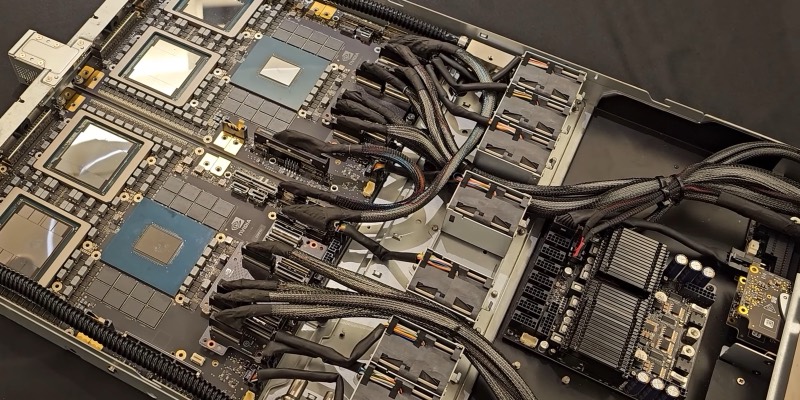
An NVIDIA GB200 Grace Blackwell board on show at Computex 2024, in Taipei (illustrative). Image: 极客湾 Geekerwan / Wikimedia Commons, CC BY 3.0, cropped
NVIDIA lets you use several of China’s best AI models for free, and most people don’t know it. Its API catalog at build.nvidia.com gives you one key for DeepSeek V4.1 Flash, GLM 5.3, GLM 5.3 Flash and Kimi K3, through an OpenAI-compatible API, as a viral post on X pointed out this week. We checked what’s actually on offer, how to set it up, and what NVIDIA’s small print says, because there’s an important catch: it’s for testing, not for running a real product. For that, NVIDIA points you to paid options, including NVIDIA Brev, its service for renting ready-made GPU machines, which we cover in full below.
Is the NVIDIA API free?
For trying things out, yes. You sign up for an NVIDIA account, generate an API key, and you can call any model in the catalog through one endpoint, with no separate accounts at DeepSeek, Z.ai or Moonshot. NVIDIA’s homepage promises “free inference with leading models.”
What the viral post leaves out is that NVIDIA’s API Trial Terms of Service limit it to “internal testing and evaluation purposes, not in production.” There are usage limits and credits too. So it’s a great way to compare models or prototype, but not a free backend for your app.
Which free AI models does NVIDIA offer?
We checked NVIDIA’s live model list, which is public at integrate.api.nvidia.com/v1/models. It currently lists 82 models, and all four from the post are there. Here’s what NVIDIA and the developers say about them:
Swipe the table sideways to see every column →
| Model | Made by | Model ID | Size | Context | Good to know |
|---|---|---|---|---|---|
| Kimi K3 | Moonshot AI | moonshotai/kimi-k3 | 2.8T-parameter mixture of experts, 104B active | 1M tokens | Text and image input, tool calling, structured output, low/high/max reasoning effort. Modified MIT licence. |
| DeepSeek V4.1 Flash | DeepSeek | deepseek-ai/deepseek-v4.1-flash | 552B mixture of experts, 8B active | 1M tokens | Text and image input, function calling, adjustable reasoning. Released September 10; added to NVIDIA on September 18. |
| GLM 5.3 | Z.ai (formerly Zhipu) | z-ai/glm-5.3 | Not published | 1M tokens, up to 128K output | Reasoning is always on, at low, high or max. Supports function calling. |
| GLM 5.3 Flash | Z.ai | z-ai/glm-5.3-flash | Not published | Not published | A lighter, faster GLM 5.3. Specs weren’t on the pages we could check. |
Sources: NVIDIA model cards for Kimi K3 and DeepSeek V4.1 Flash; Z.ai’s GLM 5.3 documentation. “Mixture of experts” models only use a slice of their parameters for each request, which is why the “active” number is much smaller.
The catalog also includes Moonshot’s older moonshotai/kimi-k2.6, and a range of non-Chinese models, including OpenAI’s open-weight openai/gpt-oss-20b, Google’s Gemma 4, Mistral Large and NVIDIA’s own Nemotron family.
How to get a free NVIDIA API key
- Go to build.nvidia.com and sign in, or create a free NVIDIA account. Free access comes through the NVIDIA Developer Program.
- Open a model’s page, for example Kimi K3. You can try it in the browser first.
- Generate an API key from the model page. One key works for every model in the catalog.
- Store the key safely, ideally as an environment variable rather than in your code:
export NVIDIA_API_KEY="paste-your-key-here" - Point your code at NVIDIA’s endpoint:
https://integrate.api.nvidia.com/v1. Note that it’shttps; the viral post used plainhttplinks.
How to use the free DeepSeek, Kimi and GLM API (code examples)
Because the API is OpenAI-compatible, anything that works with OpenAI’s chat completions API works here. You just change the base URL, the key and the model name.
With curl, straight from a terminal:
curl https://integrate.api.nvidia.com/v1/chat/completions \
  -H "Authorization: Bearer $NVIDIA_API_KEY" \
  -H "Content-Type: application/json" \
  -d '{
    "model": "moonshotai/kimi-k3",
    "messages": [{"role": "user", "content": "Explain mixture-of-experts models in two sentences."}],
    "temperature": 0.6,
    "max_tokens": 512
  }'
With Python, using the official OpenAI library (pip install openai):
import os
from openai import OpenAI

client = OpenAI(
    base_url="https://integrate.api.nvidia.com/v1",
    api_key=os.environ["NVIDIA_API_KEY"],
)

response = client.chat.completions.create(
    model="deepseek-ai/deepseek-v4.1-flash",
    messages=[{"role": "user", "content": "Write a haiku about GPUs."}],
    temperature=0.6,
    max_tokens=512,
)
print(response.choices[0].message.content)
With JavaScript (npm install openai), streaming the reply as it’s generated:
import OpenAI from "openai";

const client = new OpenAI({
  baseURL: "https://integrate.api.nvidia.com/v1",
  apiKey: process.env.NVIDIA_API_KEY,
});

const stream = await client.chat.completions.create({
  model: "z-ai/glm-5.3",
  messages: [{ role: "user", content: "Summarise the plot of Hamlet in one paragraph." }],
  stream: true,
});

for await (const chunk of stream) {
  process.stdout.write(chunk.choices[0]?.delta?.content ?? "");
}
To compare models, keep the same prompt and just swap the model value. You can list everything available with curl https://integrate.api.nvidia.com/v1/models. A few tips:
- Reasoning models are slower: GLM 5.3 always thinks before it answers, and Kimi K3 and DeepSeek V4.1 Flash let you adjust how hard they think. Leave room in
max_tokens, and check each model’s page on build.nvidia.com for its reasoning settings. - Tool calling works: all three have function or tool calling, using the usual OpenAI
toolsformat. - Images: Kimi K3 and DeepSeek V4.1 Flash accept images as well as text.
Can you use the free NVIDIA API in VS Code, Cursor or a chat app?
Often, yes. Because NVIDIA’s endpoint speaks the same language as OpenAI’s, it works with most AI coding assistants, editor plugins and chat apps that let you add a custom “OpenAI-compatible” provider. Look for a setting called something like custom provider, OpenAI-compatible or base URL, then enter:
- Base URL:
https://integrate.api.nvidia.com/v1 - API key: your NVIDIA key
- Model: the full ID, such as
moonshotai/kimi-k3,deepseek-ai/deepseek-v4.1-flashorz-ai/glm-5.3
Whether a particular app supports this depends on the app, and some only allow custom providers on paid plans. Two things to remember: the free NVIDIA access is still for testing only, and anything you type goes to NVIDIA’s servers, so don’t point it at private code or company data.
NVIDIA API rate limits and the catch
The free access is a trial, and NVIDIA’s terms spell out several limits:
- Testing only: without a paid subscription, “you may only use the API Service for internal testing and evaluation purposes, not in production.” That means no live app or customer-facing service.
- Limited credits: use “may be limited to a certain number of API access instances or by API access duration,” and NVIDIA deducts credits as you go. When they run out, you may be offered ways to get or buy more.
- No fixed rate limit published: the model pages we checked don’t list one, so expect throttling if you hammer it.
- Going to production costs money: NVIDIA’s documentation says production use requires an NVIDIA AI Enterprise licence, priced at “$4500 per GPU per year or ~$1 per GPU per hour in the cloud,” with a free 90-day trial available.
- No competing products: the terms bar you from using the service or its output “to develop or improve products or services that compete with the API Service.”
- Model licences still apply: each model keeps its own licence. Kimi K3, for example, is under a Modified MIT licence.
Is NVIDIA’s free API private?
This is worth reading carefully. The terms say that, in most cases, NVIDIA “will not store or use User Content or Generated Content at the end of each API Service session.” But a later section says NVIDIA collects, “without identifying specific users,” session metrics, logs, feedback and “User Content and Generated Content to improve NVIDIA products and services, including AI models.” Use is also logged for security and abuse monitoring.
NVIDIA also tells you not to upload personal, financial, health or government information, and says its servers aren’t certified as appropriate for data such as card details or protected health information. In short: use made-up or public test data, and never paste in anything private.
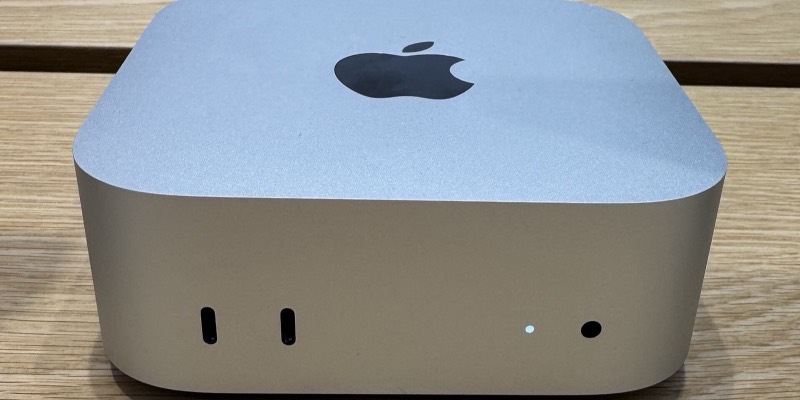
If you’d rather keep everything on your own hardware, you can also run smaller open models at home; see our guide to running local AI models on a Mac mini.
Because you’re sending prompts to NVIDIA’s servers rather than to the Chinese labs themselves, this can be a way to try these models without creating accounts in China. The models are the same, though, so their built-in behaviour, including how they handle politically sensitive topics, doesn’t change.
What is NVIDIA Brev?
The free API gives you shared access to models NVIDIA hosts. Brev gives you a GPU machine of your own. It “provides instant access to GPU instances preconfigured for AI and ML development across multiple cloud providers,” NVIDIA says, with “NVIDIA drivers, CUDA, Python, and Docker, all ready to use.” Instead of calling a shared endpoint, you get a whole machine with a GPU to yourself.
The main pieces are:
- GPU instances: virtual machines with NVIDIA GPUs, plus Python, CUDA, Docker and Jupyter ready to go. You can connect with VS Code over SSH, JupyterLab or the command line.
- Launchables: “one-click deployable environments” that bundle the hardware, software and code into a link you can share. A Launchable can include the GPU type, storage and location, a container or Docker Compose setup, Git repos or notebooks, open ports and settings such as API keys entered at launch. NVIDIA suggests them for tutorials, workshops, team onboarding and reproducing research, and shows the cost per hour before you deploy.
- NIM deployment: you can run NVIDIA’s NIM inference microservices, packaged AI models with an OpenAI-compatible API, on your own instance (see below).
- Agent sandboxes: cheaper CPU-only instances for running AI agents in isolation, for jobs like code execution, web browsing and tool use that don’t need a GPU.
- A command-line tool for creating, connecting to and managing machines from your terminal.
The GPU range runs from entry-level cards such as the T4 (16GB) up to the L40S, A100 80GB, H100 (96GB), H200 (141GB) and B200 (192GB), according to Brev’s GPU list.
NVIDIA Brev pricing: is Brev free?
Brev isn’t free. It “bills you per hour for compute time” while an instance is running. Stopping a machine ends the compute charges, though “minimal storage costs apply,” and your files in /home/ubuntu/workspace are kept. Deleting it removes the machine and all its data for good. Brev’s documentation also warns that if your organisation runs out of credits, it may stop running instances and delete ones that can’t be stopped. Prices vary by GPU and provider, and the CLI shows them (below).
How to get started with NVIDIA Brev
Sign up at brev.nvidia.com, then install the CLI, following Brev’s quickstart. On a Mac:
brew install brevdev/homebrew-brev/brev
brev --version
brev login
On Linux (or Windows via WSL):
bash -c "$(curl -fsSL https://raw.githubusercontent.com/brevdev/brev-cli/main/bin/install-latest.sh)"Find a GPU and compare prices with brev search, which lists instance types with their GPU, VRAM and price per hour:
# everything, cheapest first
brev search

# only A100s
brev search --gpu-name A100

# at least 40GB of VRAM, sorted by price
brev search --min-vram 40 --sort price
Then create a machine, connect to it and check the GPU. Brev’s own example uses an L40S from Nebius:
brev create my-instance --gpu "nebius.l40sx1.pcie"
brev shell my-instance
nvidia-smi
When you’re done, stop it so you’re not paying for idle compute, or delete it if you don’t need the data:
brev list
brev stop my-instance
brev start my-instance
brev delete my-instance   # permanent: all data is lost
How to run an NVIDIA NIM on Brev
This is where the two services meet. Many models in the API catalog are also available as NIMs, containers you can run on your own GPU. Brev’s NIM guide recommends an L40S 48GB or A100 80GB, in VM mode rather than container mode, plus an NGC API key from ngc.nvidia.com. Check the NIM support matrix for how much GPU memory a given model needs.
Log in to NVIDIA’s container registry on the instance:
export NGC_CLI_API_KEY=<your-key>
echo "$NGC_CLI_API_KEY" | docker login nvcr.io   --username '$oauthtoken' --password-stdin
Then start the model. This is Brev’s example with Llama 3 8B:
docker run -it --rm --name=Llama3-8B-Instruct --runtime=nvidia --gpus all --shm-size=16GB -e NGC_CLI_API_KEY -v ~/.cache/nim:/opt/nim/.cache -p 8000:8000 nvcr.io/nim/meta/llama3-8b-instruct:1.0The model then serves an OpenAI-compatible API on port 8000, so the same code from earlier works, with the base URL changed to your own machine (for example http://localhost:8000/v1 through port forwarding or a tunnel). NVIDIA’s NIM FAQ says free Developer Program access covers research, development and testing on up to 16 GPUs; running NIMs in production needs an NVIDIA AI Enterprise licence.
NVIDIA API vs Brev: which should you use?
Swipe the table sideways to see every column →
| build.nvidia.com API | NVIDIA Brev | |
|---|---|---|
| What you get | Shared, hosted endpoints for 80+ models | Your own GPU (or CPU) machine in the cloud |
| Cost | Free trial credits | Pay per hour (storage only when stopped) |
| Setup | One API key, a few lines of code | CLI or console, choose a GPU, install your stack |
| Best for | Trying and comparing models, prototypes | Private inference, fine-tuning, heavier builds, workshops |
| Production use | Not allowed without a subscription | Your machine, but NIMs need an AI Enterprise licence |
| Data | Sent to NVIDIA’s shared service | Stays on the instance you rent |
Why it matters
Chinese labs are shipping some of the strongest open models in the world (DeepSeek is even training on Huawei chips), and NVIDIA’s catalog makes it easy to compare them with Western ones side by side, for free, with a few lines of code. It’s also a funnel: the free API gets you hooked on the models, and Brev and NVIDIA AI Enterprise are where you pay to run them for real, on NVIDIA’s GPUs either way.
Frequently asked questions
Is there a free DeepSeek API?
Yes, for testing. NVIDIA’s API catalog includes DeepSeek V4.1 Flash, which you can call for free with an NVIDIA API key from build.nvidia.com, using the model ID deepseek-ai/deepseek-v4.1-flash. It’s for evaluation, not production use.
How do I get a free NVIDIA API key?
Sign in or create a free NVIDIA account at build.nvidia.com, open any model’s page and generate an API key. The same key works for every model in the catalog.
Can I use Kimi K3 for free?
Yes. Moonshot AI’s Kimi K3 is available on NVIDIA’s API as moonshotai/kimi-k3, with a 1 million token context window, on the same free trial terms as the other models.
Is NVIDIA NIM free?
NIM API endpoints and downloadable NIMs are free for prototyping, research, development and testing through the NVIDIA Developer Program. Using NIM in production needs an NVIDIA AI Enterprise licence, which NVIDIA prices at $4,500 per GPU per year or about $1 per GPU per hour in the cloud.
Is NVIDIA’s API really free?
Yes, for testing. NVIDIA gives registered users trial access and credits on build.nvidia.com, with no separate subscriptions to each model maker. Its terms say the free service is for internal testing and evaluation only, not production use.
Which Chinese AI models can I use on NVIDIA’s API?
NVIDIA’s API catalog currently lists DeepSeek V4.1 Flash, Z.ai’s GLM 5.3 and GLM 5.3 Flash, and Moonshot AI’s Kimi K3 and Kimi K2.6, along with older models such as DeepSeek Coder and 01.AI’s Yi-Large.
Do I need a credit card to use NVIDIA’s API?
NVIDIA’s trial terms say credits are given after you register as a user, and don’t mention a card for the trial. You do need an NVIDIA account.
Can I use NVIDIA’s free API in a real app?
No. NVIDIA’s trial terms say you may only use it for internal testing and evaluation, not in production, unless you buy a subscription from NVIDIA or a service provider. NVIDIA prices its AI Enterprise licence at $4,500 per GPU per year, or about $1 per GPU per hour in the cloud.
Does NVIDIA use my prompts?
Possibly. The trial terms say NVIDIA won’t store your content at the end of a session in most cases, but also that it collects user content and generated content, without identifying you, to improve its products, including AI models. Don’t send personal, financial or health data.
What is the base URL for NVIDIA’s API?
https://integrate.api.nvidia.com/v1. It is OpenAI-compatible, so you can point the OpenAI SDK at it and use your NVIDIA API key.
What is NVIDIA Brev?
Brev is NVIDIA’s service for renting GPU machines in the cloud, pre-set up for AI work with NVIDIA drivers, CUDA, Python, Docker and Jupyter. You pay by the hour, and you can run NVIDIA’s packaged models (NIMs) on your own instance.
Is NVIDIA Brev free?
No. Brev bills per hour for compute time while an instance is running, with small storage charges when it’s stopped. Its documentation doesn’t describe a free tier, and warns that if your organisation runs out of credits, Brev may stop or delete resources.
Should I use the free API or Brev?
Use the free API on build.nvidia.com to try and compare models with a few lines of code. Use Brev when you need your own GPU, to run a model privately, fine-tune it, or build something heavier. Production use of NIMs still needs an NVIDIA AI Enterprise licence.
What are the rate limits?
NVIDIA doesn’t publish a fixed figure on the model pages we checked. Its terms say use may be limited by number of requests or by time, and credits are deducted as you use them.
Sources: NVIDIA API model list, NVIDIA model card: Kimi K3, NVIDIA model card: DeepSeek V4.1 Flash, Z.ai GLM 5.3 docs, NVIDIA API Trial Terms of Service, NVIDIA NIM FAQ, NVIDIA Brev documentation.
_06.png)